
Turn a podcast episode into an illustrated video
Audio does not travel on video platforms, and a waveform on a still image does not hold anyone. A drawn clip of the best two minutes of an episode does: the viewer hears your real voices while the pen draws what you are talking about.
Doodaro builds those scenes from the transcript you paste, and you upload your own audio per scene so the narration is the episode itself. If one drawing misses the point, you redraw that scene and leave the rest alone.
2 free minutes · No card needed
How it works
- 1
Paste the transcript of one segment
Pick the 90 seconds to 3 minutes of the episode you want to show. Paste that part of the transcript into the Story box, one point per paragraph. Doodaro does not take the audio file as input; the words drive the scenes.
- 2
Doodaro builds the scenes
Pick a style such as Sketch Note, bright fine-pen drawings arranged as clear groups, which suits talk that moves from point to point. Build scenes gives each paragraph a drawn picture and a picture description.
- 3
Add your own audio, fix a scene, export
Open each scene with Edit and upload the matching cut of your recording as that scene's narration, so the viewer hears your actual voice. If a drawing misses the point, edit the picture description and click Redraw. Then render the MP4.
Example: a 2-minute segment from an interview about sleep and caffeine
The host cut a 2-minute answer into seven short audio clips and pasted the transcript as seven paragraphs. Build scenes gave each paragraph a scene. Each scene's narration was replaced with the matching uploaded clip. Scene 5 drew a coffee cup when the guest was talking about the half-life of caffeine at bedtime, so the picture description was changed to 'clock face at 10 pm, half-full cup, arrow to a clock at 4 am' and only that scene was redrawn. The finished clip ran 2 minutes 4 seconds.
- Style: Sketch Note
- Voice: own recording uploaded per scene
- Length: 2 minutes
- Format: 16:9
Best practices
- Choose a segment of 90 seconds to 3 minutes. A full 45-minute episode makes 200 or more scenes, and no one watches a drawn video that long.
- Split the segment at natural pauses into clips of 6 to 15 seconds and paste one paragraph of transcript per clip, so each scene lines up with one piece of audio.
- Trim dead air from each clip before you upload it, then set that scene's reveal and hold time to match the clip. A clip with 3 seconds of silence at the end leaves the drawing sitting still.
- Make a 9:16 cut of the best 45 to 60 seconds for Shorts and Reels. Format is a project setting; the scenes are redrawn to fit.
- Clean up the transcript before you build scenes: remove 'um', repeated words and crosstalk. A 2-minute segment usually loses 20 to 30 words, and the picture descriptions written from clean text give clearer pictures.
Frequently asked questions
How do I turn a podcast into a video?
Pick a short segment, paste its transcript into Doodaro as one paragraph per point, and click Build scenes. Then open each scene, upload the matching clip of your own audio as its narration, redraw any scene whose drawing misses, and export the MP4.
Can I upload the episode audio and have Doodaro make the video?
Not the whole episode. Doodaro builds scenes from text, so you paste the transcript of the segment. You then upload your own recording per scene, so the finished video plays your real voices, not an AI narrator.
Can I use an AI narrator instead of the podcast audio?
Yes. Leave the library narrator on the scenes and the transcript is read by the voice you pick. Some shows use this for a short teaser and keep their own audio for the full clip.
How long should a podcast clip video be?
Sixty seconds to three minutes. Under 60 seconds in 9:16 works for Shorts and Reels; 2 to 3 minutes in 16:9 works as a standalone YouTube clip that links to the full episode.
Can two hosts have different drawings?
Yes, if you describe them. Put 'the host, short hair and glasses' or 'the guest, long coat' in the picture descriptions. Doodaro does not carry a character automatically from scene to scene, so describe the person each time they appear.
Does Doodaro post the clip to YouTube or social?
No. You export an MP4 and upload it yourself. The video and the images in it are yours.
Related use cases
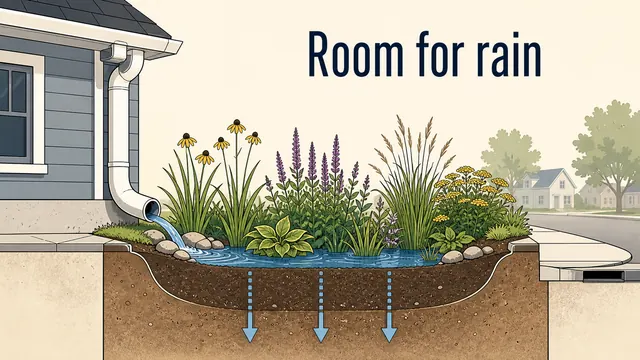
Turn a blog post into a drawn explainer video
Copy the key text of a blog post into Doodaro, trim it to a 2-minute script, build the storyboard, redraw one scene and export a drawn explainer.
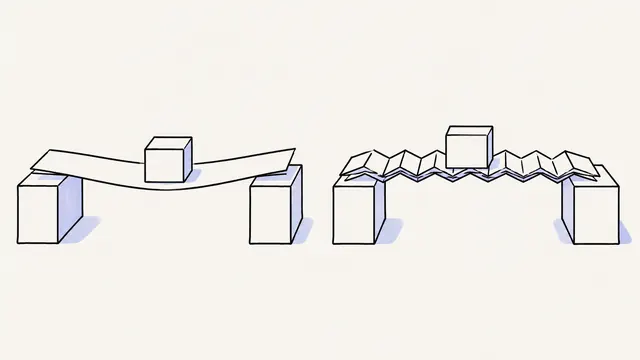
Turn a script into a whiteboard video in minutes
Paste a finished script, let Doodaro split it into drawn scenes with narration, fix the one scene that misses, and export an MP4 whiteboard video.
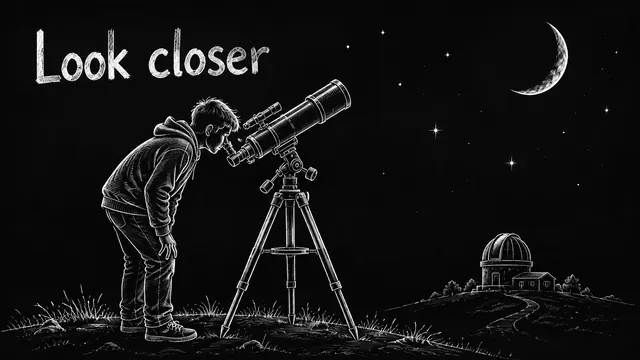
Quote and encouragement channel videos, drawn scene by scene
Turn a quote and a short reflection into a drawn video in Midnight Chalk, fix the one scene that misses, and export Shorts or 2-minute videos for your channel.
Daily devotional Shorts drawn from one verse
Write a 45-second devotional, build 4 or 5 drawn scenes in portrait 9:16, redraw the one that misses, and export a Short for YouTube, Reels or TikTok.
Ready to draw your next story?
Start with 2 free minutes. No card needed. Your script becomes a storyboard you can fix one scene at a time.